
THE KNOWLEDGE
IN BLUEPRINT
FORM.
Everything we sell is a blueprint — the complete engineering of a structure, delivered as one beautiful document. Not a vague sketch: a numbered cut list, a sheet-by-sheet nesting plan, mark-and-cut stencils for every X-brace, a step-by-step assembly manual, a humidity protection guide and print-and-cut shipping stencils. This page walks you through every page of it — and shows you the two ways it adapts to your material source.
01 · What Arrives in Your Inbox
Every order produces the same professional deliverable set, staged in two emails. Nothing is sent as a random attachment dump — each stage is built for what you need at that moment:
- Design preview — emailed the moment the order is placed: technical summary, render photos of your exact build, the Bitcoin invoice and demo links.
- Delivery email — emailed the moment your Bitcoin payment confirms on the blockchain (1 confirmation), with the blueprint PDF attached directly as
blueprint.pdf.
The 3D model itself is never sent as a file — it lives in your permanent parametric viewer on BuildCrates.com (section 04 below), and the document you actually receive and build from is the blueprint PDF. Your order page also keeps a copy of the invoice and every render, so nothing is lost when the inbox fills up.
02 · The New Blueprint — a Page-by-Page Tour
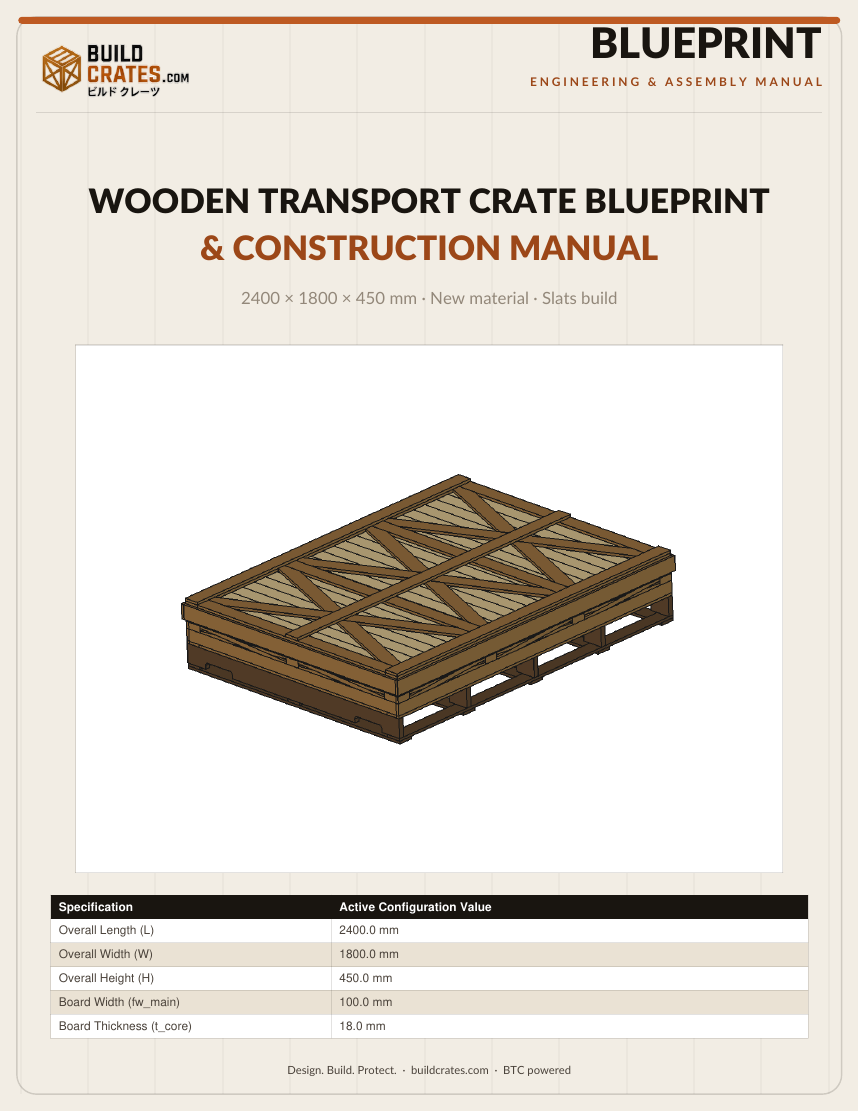
The blueprint was rebuilt from the ground up around one idea: a document you can build from without a screen in sight. Eight chapters, each with one job, each drawn with the same brand identity as your invoice — ink, cream and rust, logo header, page furniture. The tour below shows the actual pages of the public demo blueprint (a fine-art transport crate), with the real page numbers, so you know exactly what lands in your inbox.
1Cut List — Every Board, Numbered
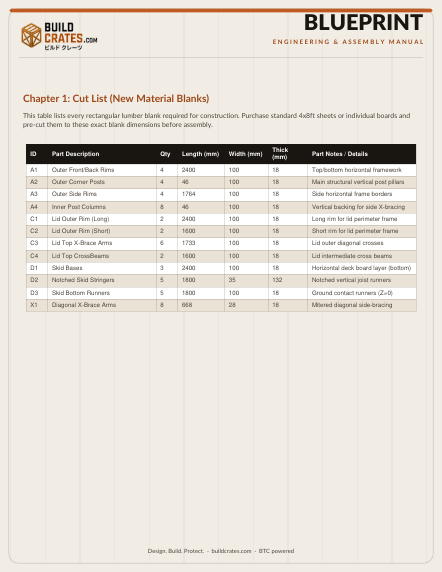
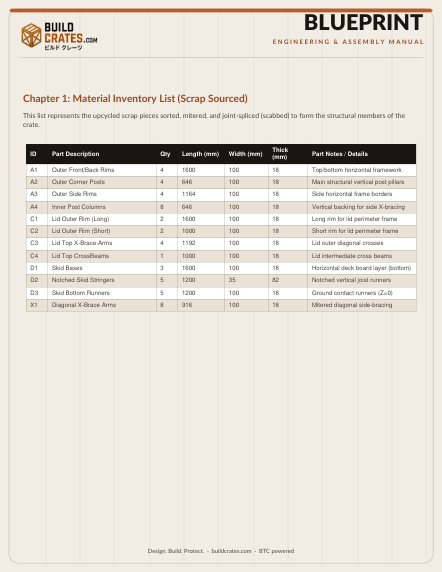
The document opens with the complete material cut list: every single board the crate needs, numbered (A1 outer rims, A2 corner posts, C1–C4 lid members, D1–D3 skids, X1 brace arms…), with quantity, length, width, thickness and a plain-language note of what it does. This is the list your workshop buys or cuts against — count the quantities and you count the crate.
2Cutting Nesting Layout — the Sheet Map
Every board from Chapter 1 is then packed onto real 1.22 × 2.44 m boards, edge-to-edge, with no wasted bleeding lines between pieces. The packing is computed with a guillotine best-fit algorithm — boards may rotate 90° to fit tighter — and every cut is drawn to scale with its family colour, so the sawyer sees exactly where each piece comes from on the sheet.
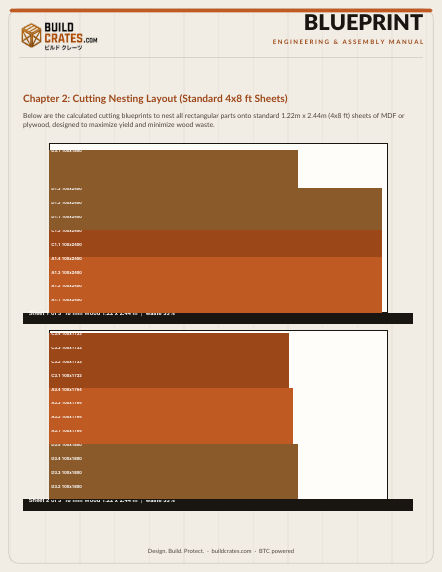
Cutting the boards tight means the sheet list is honest — the number of boards in Chapter 2 is exactly the number the material list says you need, no rounding-up surprises.
3X-Brace Stencil Catalog — Cut Once, Assemble Right
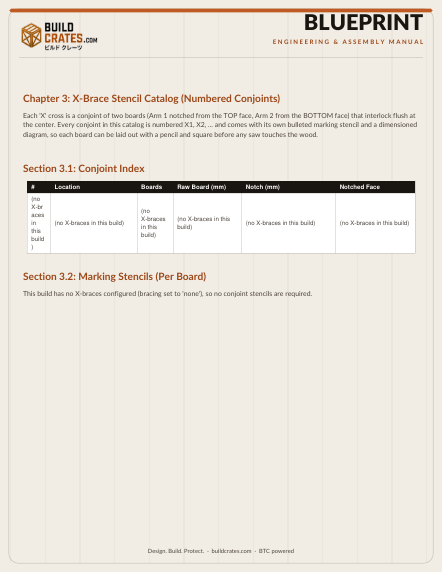
Every X-brace is a pair of boards that must be angle-cut and half-lap notched so the two arms interlock. This chapter numbers every conjoint in the crate — floor, walls, lid — and for each one gives you three things: a to-scale marking stencil (notch centre, shoulders, depth and diagonal cut line drawn from the raw rectangle), the step-by-step marking instructions, and — new — the real rendered photos of that exact conjoint from your order: axonometric, face-on and a tight close-up of the notch crossing. What you are about to cut is what you are looking at.
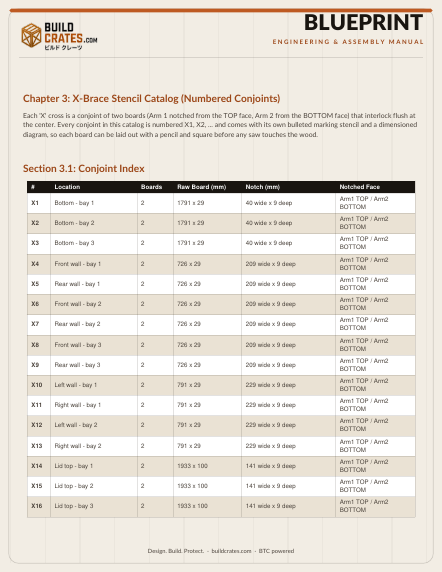
- 2 boards per X — the counter in your order report says N X-braces · M boards need angle-cutting, and the catalog lists every one of them.
- Notch geometry — centre mark, symmetric 5 mm shoulders, 2.2 cm depth; the diagonal is drawn from the inferior corner so the arm seats flush against its partner.
- No guesswork — measure once from the marks the stencil gives you; every arm of the same width is identical.
The stencil diagram is drawn to scale for the exact bay width and brace height of your order — print it at 100% and lay it on the board.
4Size Range Analysis — Grow or Shrink Before You Buy
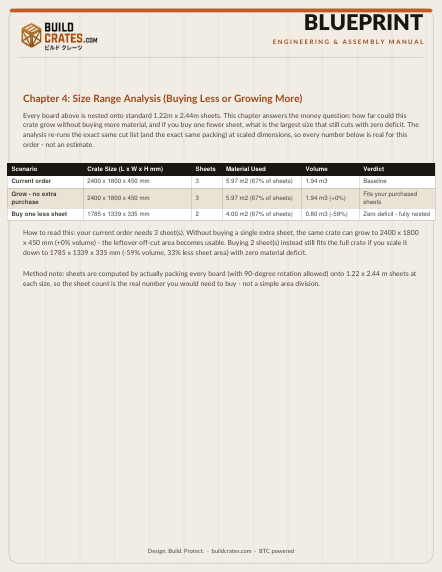
Exclusive to new-material builds, this chapter turns the sheet packing into a buying decision. From the actual number of boards your crate needs, it computes how much larger the crate could grow without buying one more board, and — if you buy one fewer — the reduced size that still fits your cargo. Plan the crate around your material, not the other way around.
5Technical Engineering Data — the Honest Numbers
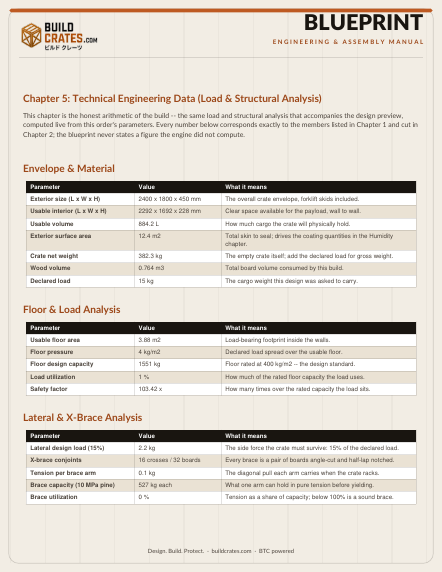
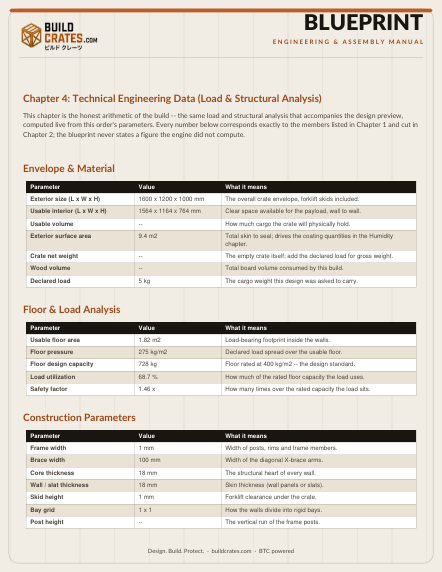
This chapter is the arithmetic of the build — the same load and structural analysis that accompanies your design preview, printed as data you can keep. The envelope and material (usable interior, usable volume, surface area, crate net weight, wood volume), the floor and load analysis (floor pressure, the 400 kg/m² design capacity, load utilization and safety factor), the lateral and X-brace analysis (the 15% lateral design load, tension per brace arm, brace capacity and utilization), and the construction parameters (frame width, core thickness, skid height, bay grid). Every number is recomputed from this order's own geometry — nothing here is a rounded guess.
6Chronological Assembly — from Base to Lid
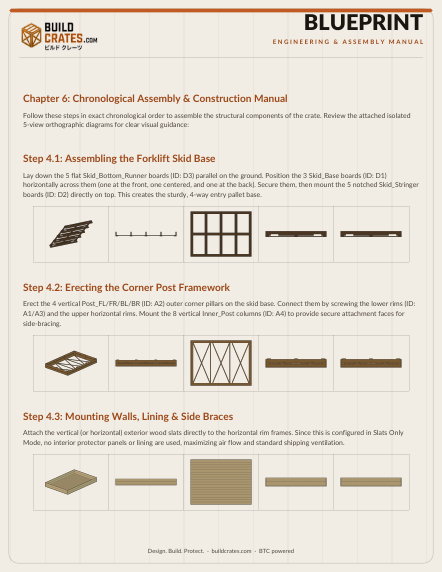
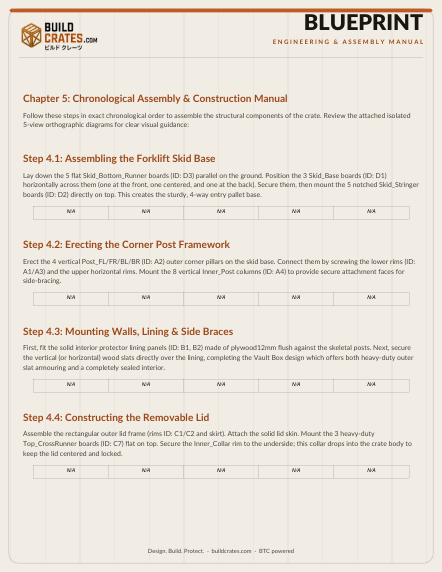
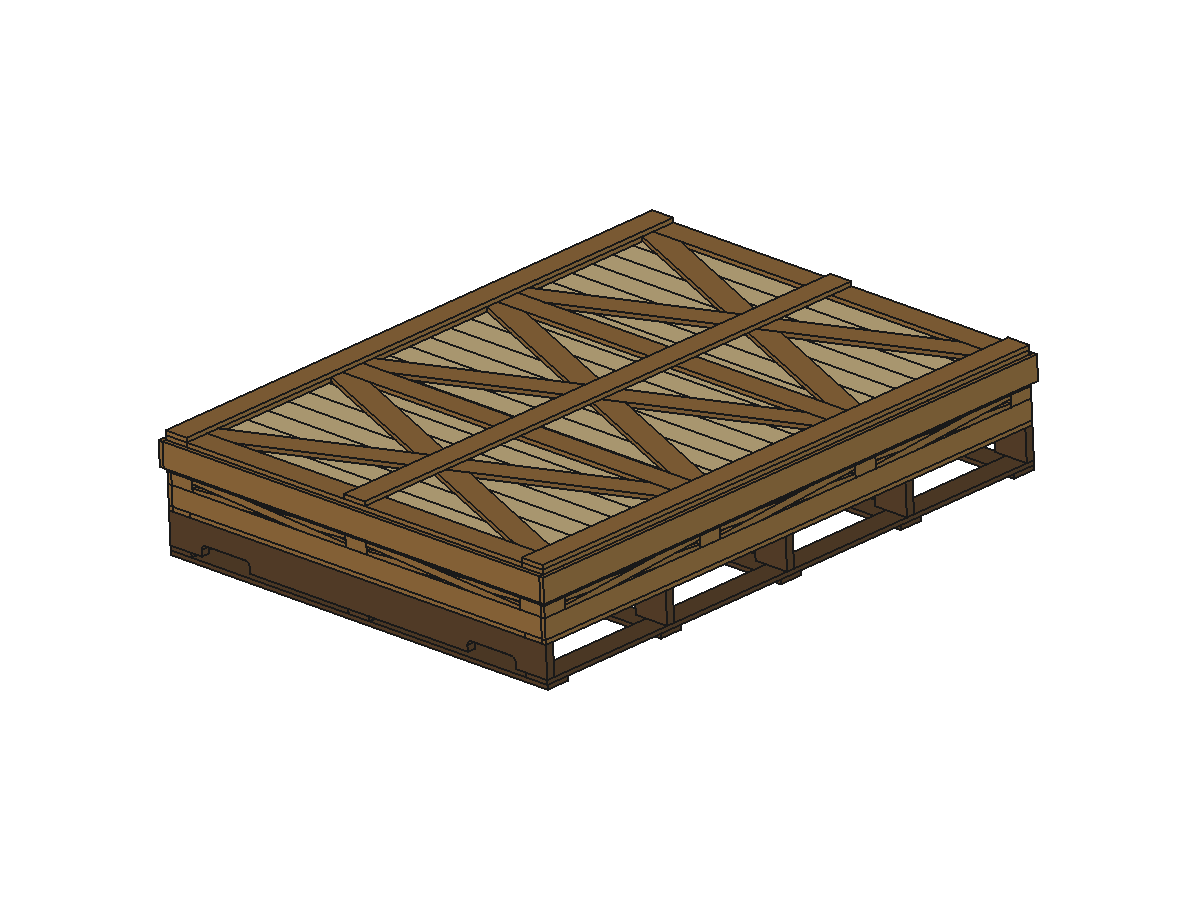
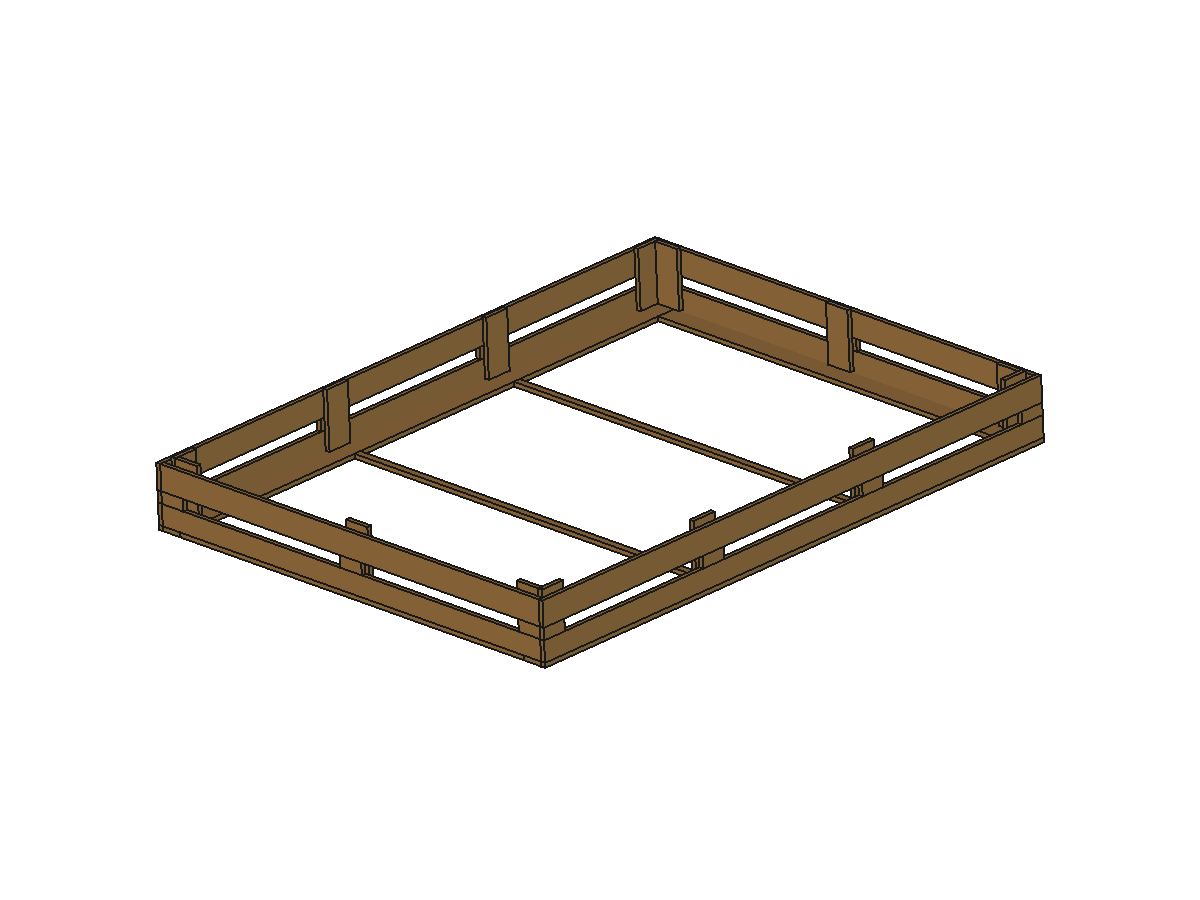
The construction manual takes you through the build in order — skids and base, frame, walls and braces, lid — with the isolated 5-view grids (axonometric, front, top, side, left) for each group, and ends with the assembled crate in real 3D: the hero axonometric, the interior with the lid removed, the underside, and the elevations. You see the finished object before you build it.
7Humidity Protection — Coating & Sealing Guide
Wood is a living material, and moisture is its only real enemy. This chapter is a four-tier coating and sealing guide — from a basic interior-grade primer to a marine-grade epoxy on the skid base for tropical dockside storage — with the exact product classes, application notes (seal every screw penetration, cure fully before wrapping) and the environmental conditions each tier is built for.
The newest caper for the cost-conscious: a full DIY Expanded Polystyrene Solvent Coating (Xylene Blend) recipe. Recycle plain packing foam into a silky, sprayable, sealed skin — a painstaking four-liter batch, xylene blended, acetone- and MEK-thinned, flame-tamed with triphenyl phosphate, and tinted with plaster-grade oxides. Mixing order, color chart, optional levelers, and even the chemistry made plain — every can logical, every step listed.
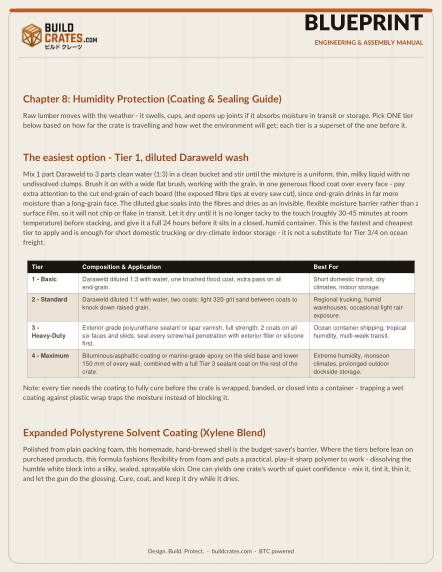
From store-bought marine epoxy down to a hand-brewed foam lacquer, you now have a coating for every purse and every port — choose your tier, follow the mixing order, and keep the crate dry while it dries.
8Shipping Marks — Print, Cut, Spray
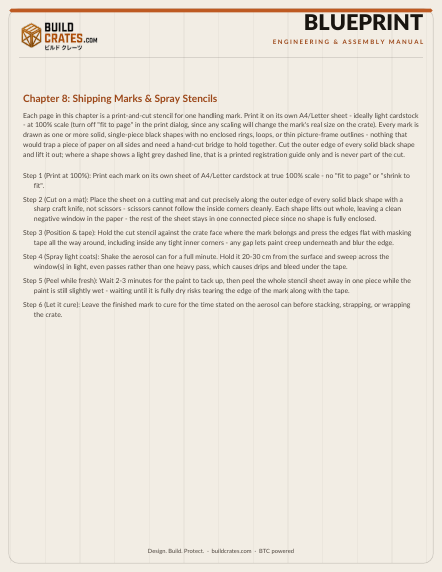
The document closes with eight print-and-cut spray stencils — this side up, fragile, keep dry, do not stack, centre of gravity, sling here, no hooks, keep away from heat. Each is drawn as one solid connected shape so the paper lifts out of the window cleanly, with a recommended placement on the crate and a six-step spraying guide. Print at 100%, cut on a mat, and the mark is on the crate in minutes.
03 · One Document, Two Personalities
The same engine, the same identity, but the blueprint adapts to where the wood comes from. Tell the generator your material source, and the document reshapes itself around it — the chapters that matter for your build lead, the ones that do not disappear. Here is the whole difference at a glance:
Your boards come as fresh 1.22 × 2.44 m stock — the blueprint plans the buy and the build.
- Chapter 1 · Cut List (New Material Blanks) — every numbered blank, ready to cut.
- Chapter 2 · Cutting Nesting Layout — every board packed edge-to-edge on the 1.22 × 2.44 m sheets, no bleeding lines between pieces.
- Chapter 3 · X-Brace Stencil Catalog — stencils + real 3D photos of your braces.
- Chapter 4 · Size Range Analysis — grow or shrink without buying more boards.
- Chapter 5 · Technical Engineering Data — load, floor, lateral and X-brace analysis, all computed live.
- Chapter 6 · Assembly — Chapter 7 · Humidity — Chapter 8 · Shipping Marks.
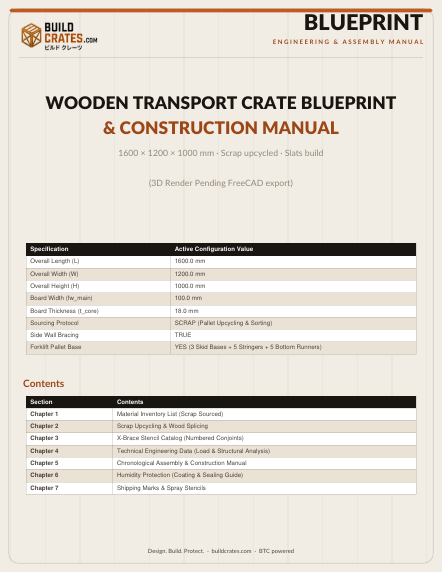
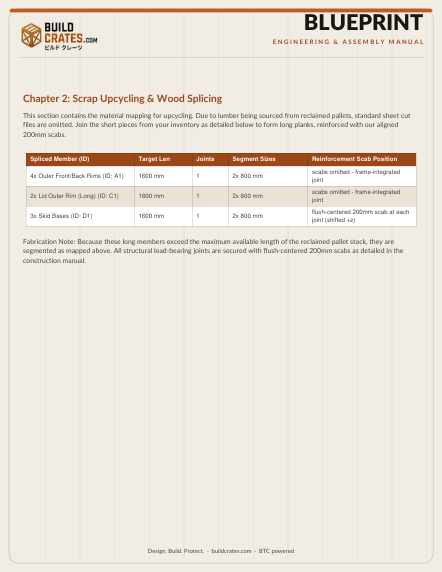
Your boards are recovered pallet wood — the blueprint becomes a recovery story: inventory what you have, then splice it into the crate.
- Chapter 1 · Material Inventory List — every recovered class of scrap, inventoried and sized.
- Chapter 2 · Scrap Upcycling & Wood Splicing — every 200 mm scab joint plotted, board by board.
- Chapter 3 · X-Brace Stencil Catalog— stencils + real 3D photos of your braces.
- Chapter 4 · Technical Engineering Data — load, floor, lateral and X-brace analysis, all computed live.
- Chapters 5–7 — Assembly, Humidity Protection, Shipping Marks (same as new builds).
Same brand identity, same precision, same assembly rigour — the only difference is which chapters lead. You choose the source in the generator, the engine decides the document.
04 · The Parametric Viewer — Your Model, Online
Your exact crate is rendered as a live 3D parametric model in the browser — no downloads, no uploads, no CAD licence required. Once your order is paid, your order ID unlocks a permanent save of the viewer on BuildCrates.com: open the Order menu, type the ID (dashes are added automatically), and the model loads instantly, accurate to the millimetre.
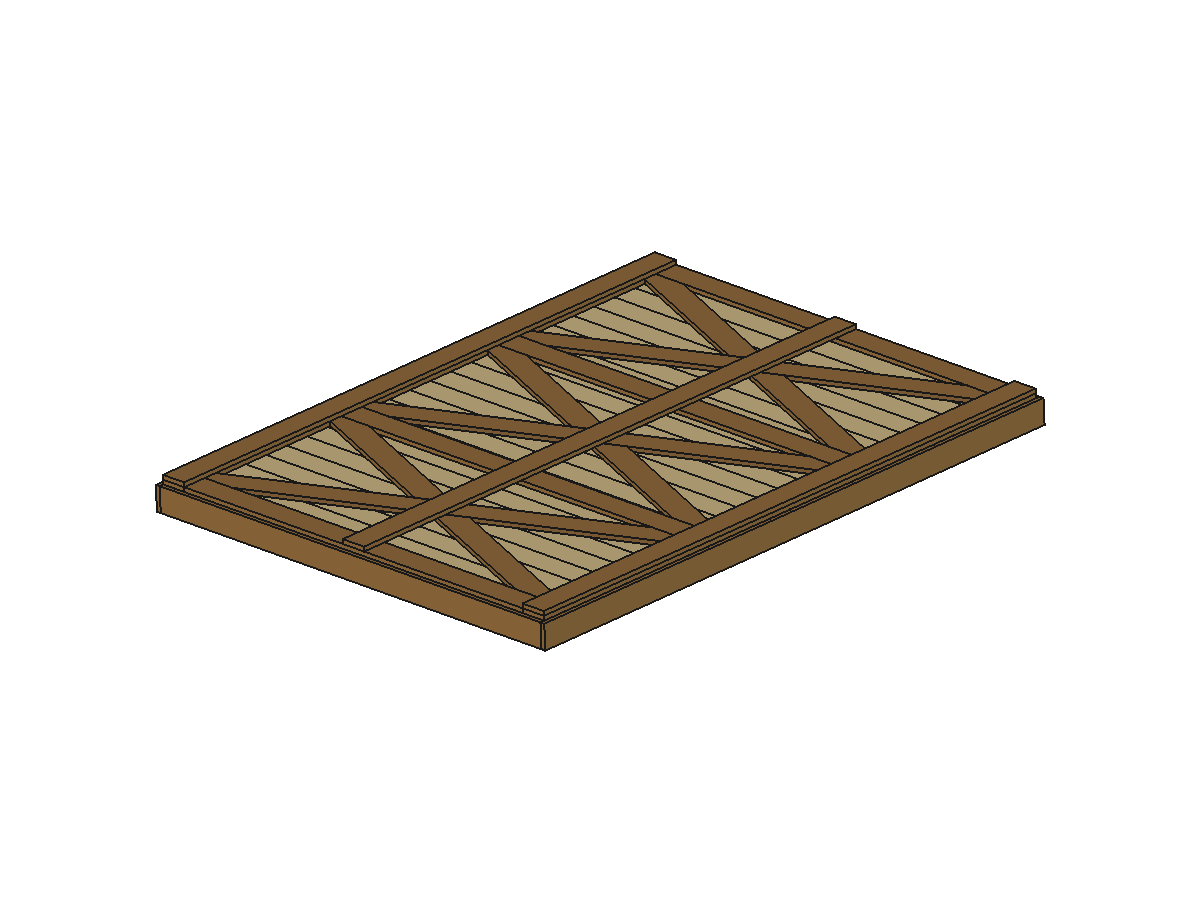
- Review from every angle — orbit, pan and zoom the assembled crate, the frame, the walls and the lid, exactly as designed.
- Parts, collapsible like the CAD it came from — the tree groups Frame, Lid, Skid and Wall; expand a group, then select a single part to inspect it alone.
- Measure in mm — the Review tools include a measure tool that reports in millimetres, plus section and wireframe views.
- Always in sync — the viewer reads the same model the blueprint was drawn from, so what you see online is the source of truth.
- Available anywhere — the link works on desktop, tablet and phone; perfect for sharing with your workshop or fabrication partner.
05 · Render Views & the Design Specification
Alongside the PDF, every order keeps the full set of render images — assembled, frame, walls, lid, skids and every X-brace arm, each in front, side, top and axonometric views — plus the five design-preview photos (axonometric, front, side, interior and skids) that appear in your emails and on your order page. And the design specification records every computed parameter: every thickness, width, span, bay count, volume and coordinate the engine decided. It is the design's full audit trail — every decision the engine made, preserved for your records.
The engineering itself is fully parametric — every board, brace and span is computed from your inputs — and the viewer preserves that precision in the browser. The blueprint PDF then turns that model into the document your workshop can print, measure and cut from.
06 · Payment & Delivery — Bitcoin, 1 Confirmation
The service is priced at the equivalent of $3.00 USD per order, converted live into Bitcoin at the moment you order. Payment is made to a dedicated address generated for your order, and the retail package is delivered automatically by email once the network records 1 confirmation on the Bitcoin blockchain — typically minutes. Your order ID arrives in the payment email and unlocks the parametric viewer described above.
07 · Putting the Blueprint to Work
- Verify — open your parametric viewer and check the exterior dimensions against your cargo; the model is the source of truth.
- Cut — follow the material cut list and the sheet nesting layout in the blueprint PDF, by hand or with your CNC software.
- Mark & notch — print the X-brace stencils at 100% and mark every conjoint from its diagram.
- Assemble — follow the step-by-step sequence in the PDF; the splice and brace schedule is marked on every member.
- Finish — follow the humidity protection chapter and seal the timber before loading.
- Ship — spray the shipping marks from the final chapter, and the crate is on its way.
Your license grants the right to build one physical crate from the blueprint for your own personal or internal business use — see Terms & Conditions for the precise terms.
08 · See a Real Blueprint Before You Buy
You do not have to take our word for it. The public demo below is a real blueprint the engine produced for the “fine-art flatbed” showcase — a low-profile transport crate for museums and private art collectors — same cover, same chapter structure, same cut-list, nesting and stencil pages you will receive for your order, with a declared load of 15 kg. Every page on this page is a real page from that document.
THE BLUEPRINT, IN THE FLESH
Open the live 3D viewer demo to rotate the model, expand the Parts tree and measure in mm — or download the blueprint-demo.pdf to page through every chapter — cover, cut list, nesting, X-brace stencils, assembly, humidity and shipping marks — before you spend a single satoshi.
The demo blueprint is the exact same generator output your paid order produces — the only difference is the order number, your parameters and your material source. What you see is what you build from.